

Data Analysis Tools – Key Takeaways
- Definition and Purpose of Data Analysis:
- Process of inspecting, cleaning, and modeling raw data to extract insights and support decision-making.
- Helps organizations identify trends, make informed decisions, and predict future outcomes.
- Data analysts ensure accuracy and relevance of insights.
- Top Data Analysis Tools and Platforms:
- Microsoft Excel: Data cleaning, visualization, predictive AI features, collaboration.
- Python (pandas, NumPy, SciPy): Data manipulation, statistical analysis, AI integration, automation.
- R: Advanced statistical analysis, AI modeling, reproducible research.
- SQL: Database querying, data extraction, integration with AI and visualization tools.
- Tableau / Power BI / Google Data Studio: Interactive dashboards, AI-driven analytics, visualization, real-time data insights.
- SAS / SPSS / MATLAB: Statistical modeling, predictive analytics, AI integration.
- Big Data Platforms: Apache Hadoop and Spark for large-scale distributed data processing, real-time analytics.
- Workflow and Automation Tools: Alteryx, KNIME, RapidMiner, Selenium for data integration, cleaning, and AI-driven workflows.
- Cloud and Web Analytics: Google Analytics, Looker, Domo for live data monitoring, business intelligence.
- Excel Add-ons: Power Query / Power Pivot for enhanced data integration, modeling, and visualization.
- Types of Data Analysis:
- Descriptive: Summarizes historical data to identify past trends.
- Diagnostic: Investigates causes behind specific outcomes.
- Predictive: Forecasts future trends using AI and machine learning.
- Prescriptive: Provides actionable recommendations based on predictive insights.
- Key Criteria for Choosing Data Analysis Tools:
- Project requirements: data type, size, complexity.
- Ease of use: beginner-friendly vs. advanced analytics.
- Integration with existing data sources (databases, APIs, cloud).
- Scalability for large datasets or big data projects.
- AI and predictive analytics capabilities.
- Collaboration features and version control.
- Visualization and reporting capabilities.
- Cost, licensing, and community support.
- Flexibility for future analytics needs.
What is Data Analysis?
- Definition of data analysis: Data analysis is the process of inspecting, cleaning, and modeling raw data to uncover patterns, extract insights, and support decision-making. It is a critical component in data science and analytics projects.
- Purpose: The primary goal of data analysis is to transform raw data into actionable insights that help organizations make informed decisions, identify trends, and predict future outcomes.
- Role of a data analyst: Data analysts use a variety of analytics tools and data analysis tools to collect, process, and interpret data from multiple data sources. Their work ensures that insights derived from data are accurate and relevant.
- Types of data analysis:
- Descriptive analysis: Summarizes historical data to understand past trends.
- Diagnostic analysis: Identifies the causes of specific outcomes using statistical analysis.
- Predictive analysis: Uses AI and machine learning to forecast future trends based on historical data.
- Prescriptive analysis: Provides actionable recommendations based on predictive models.
- Tools commonly used in data analysis: Data analysts use Excel for quick data visualization, Python for advanced analytics and statistical analysis, and Microsoft platforms for enterprise-level projects. Analytics tools like Tableau, Power BI, and SQL are also widely used to explore and interpret complex datasets.
- Data processing: Data analysis involves cleaning raw data, handling missing values, and preparing datasets for analysis. This ensures that subsequent insights are accurate and reliable.
- Integration of AI in analytics: Modern data analysis tools often include AI capabilities, allowing analysts to automate repetitive tasks, detect patterns, and perform predictive analytics efficiently.
- Importance in data science: Data analysis is foundational to data science. It enables teams to extract meaningful insights, test hypotheses, and support data-driven strategies across industries.
How to Choose the Best Data Analytics Tools for Your Project
- Identify your project requirements: Determine the type of data you will analyze (structured vs. unstructured), the size of datasets, and the complexity of analytics required. This helps in selecting the right data analysis tools.
- Consider ease of use: Some tools, like Excel, are ideal for beginners and small projects, while Python or R provide more flexibility for complex analytics and statistical analysis.
- Integration with data sources: Choose tools that can connect to your existing data sources, such as databases, APIs, cloud storage, or live feeds. Seamless integration ensures efficient data workflows.
- Scalability and performance: For projects handling large datasets or big data, tools like Apache Spark, Hadoop, or Power BI offer robust performance and scalability.
- AI and predictive capabilities: Modern data analytics tools should support AI and machine learning integration, enabling predictive analytics, anomaly detection, and automation of repetitive tasks.
- Collaboration features: If multiple team members or departments will work on the project, choose tools that support sharing, version control, and collaborative dashboards.
- Visualization and reporting: Data analysis tools should allow you to create meaningful visualizations and reports, helping stakeholders interpret complex data easily.
- Cost and licensing: Consider budget constraints. Some tools like Python and Jupyter Notebook are open-source and free, while enterprise platforms like Microsoft Power BI or Tableau require paid licenses.
- Community and support: Tools with active user communities, tutorials, and documentation provide a safety net for troubleshooting and learning advanced analytics techniques.
- Flexibility for future projects: Select tools that can handle a wide range of analytics tasks, from statistical analysis to AI-driven predictive models, ensuring long-term value.
- Conclusion: By carefully evaluating project needs, data sources, AI capabilities, scalability, and ease of use, you can select the best data analysis tools to turn raw data into actionable insights. The right choice empowers data analysts and data science teams to drive business decisions efficiently.
Struggling with Your Data Analysis or Dissertation Statistics?
Get expert assistance with your data analysis projects or dissertation statistics from Best Dissertation Writers . Our team specializes in providing dissertation statistics help , ensuring accurate, well-analyzed results tailored to your research needs. Visit our site to get professional guidance and elevate the quality of your data-driven projects.
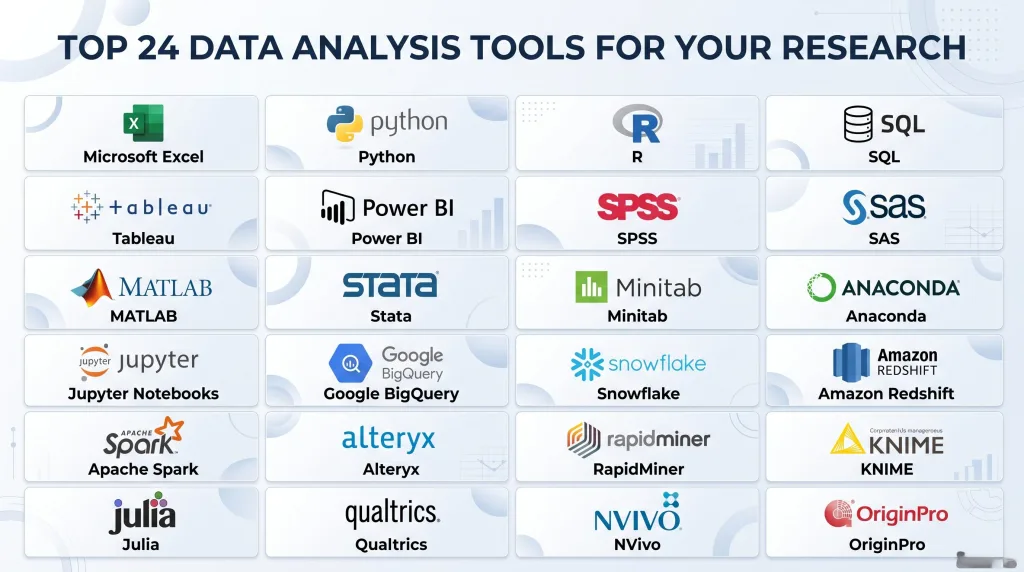
Get Professional HelpTop 24 Data Analysis Tools, Including Platforms with AI Data Analytics Integration
Microsoft Excel
- Widely used data analysis tool: Microsoft Excel is one of the most popular tools for data analysis. It allows data analysts to process, clean, and visualize raw data efficiently, making it a staple in many organizations.
- Data cleaning and preprocessing: Excel’s features like conditional formatting, filtering, and formulas make it easy to clean and prepare data for analysis. You can work with large datasets or even integrate data from external data sources.
- Data visualization: Excel includes charts, pivot tables, and graphs to visualize data trends. Data analysts can easily visualize data patterns, identify outliers, and communicate insights effectively.
- Analytics and statistical analysis: Using built-in formulas and functions, Excel allows analysts to perform descriptive and inferential statistical analysis on datasets, including mean, median, standard deviation, regression, and more.
- Predictive analytics with AI integration: With Microsoft’s AI data features, Excel can now use predictive analytics, natural language queries, and machine learning models to forecast trends and detect patterns in complex data.
- Data modeling capabilities: Excel supports simple data modeling to analyze relationships between multiple datasets. PivotTables can summarize and analyze complex data, making it easier for a data analyst to work with data from multiple sources.
- Collaboration and accessibility: Excel Online and Microsoft 365 allow teams to collaborate in real-time on spreadsheets, ensuring data analytics work is shared efficiently across departments.
- Integration with analytics platforms: Excel can connect to data warehouses, Google Analytics, SQL databases, and other tools like Power BI, extending its functionality to enterprise-level analytics and big data analysis.
- Ease of use for beginners: For novice data analysts, Excel offers a user-friendly interface to explore analytics without advanced coding knowledge.
- Versatility: From financial modeling to sales analytics, Excel is flexible enough to handle small and medium datasets, making it an indispensable data analytics tool.
Python (pandas, NumPy, SciPy)
- Powerful programming language for data analysis: Python is a preferred data analysis tool for data analysts and data scientists due to its ability to work with complex data and big data efficiently.
- Core libraries for analytics: Libraries like pandas for data manipulation, NumPy for numerical operations, and SciPy for statistical analysis make Python a robust tool for analyzing raw data.
- Data cleaning and processing: Python simplifies data preprocessing tasks, including handling missing values, transforming data types, and standardizing datasets from multiple data sources.
- Data visualization: With libraries like Matplotlib, Seaborn, and Plotly, Python allows data analysts to visualize data trends and patterns effectively. These tools help visualize data for presentations or detailed reports.
- AI data integration: Python supports machine learning frameworks such as scikit-learn and TensorFlow, enabling predictive analytics, classification, regression, and clustering of data. AI data tools allow analysts to build models that forecast outcomes based on historical datasets.
- Working with large datasets: Python is highly efficient for processing large amounts of data and big data. It can connect to data warehouses, SQL databases, and APIs to fetch and analyze real-time data.
- Statistical analysis and data modeling: Python enables data analysts to perform statistical tests, regression analysis, and build predictive data models to extract actionable insights.
- Automation: Python scripts automate repetitive data analytics tasks, allowing analysts to focus on interpreting results rather than manual processing.
- Integration with other analytics platforms: Python works seamlessly with tools like Tableau, Power BI, and Google Analytics to visualize data and enhance reporting capabilities.
- Community support and resources: Python has a vast community of developers and analysts who contribute libraries, tutorials, and open-source solutions for almost every type of data analysis challenge.
R
- Statistical computing powerhouse: R is a specialized data analysis tool widely used by data analysts and statisticians for data science, analytics, and complex data processing.
- Advanced statistical analysis: R provides built-in functions for hypothesis testing, ANOVA, regression, time series analysis, and other forms of statistical analysis. It is ideal for data analysts who need precise and reproducible analytics results.
- Data cleaning and preprocessing: R makes it easy to handle messy datasets from multiple data sources, perform data transformation, and prepare data for modeling. Packages like dplyr and tidyr streamline these processes.
- Data visualization tools: R offers ggplot2, lattice, and plotly as powerful data visualization tools. Data analysts can visualize data trends, build dashboards, and create interactive analytics reports.
- AI and predictive analytics integration: Using R packages such as caret and randomForest, analysts can implement machine learning algorithms to predict outcomes, detect patterns, and perform predictive analytics on AI data.
- Working with complex data: R can manage structured and unstructured data, including text, images, and social media data, making it an effective tool for data science projects.
- Data modeling capabilities: Analysts can create regression, classification, and clustering models to extract insights from big data and real-time data streams.
- Integration with analytics platforms: R can connect to SQL databases, Google Analytics, Excel, and data warehouses, allowing seamless access to multiple data sources.
- Reproducibility and collaboration: R supports scripting and markdown reports for reproducible research, enabling analysts to document their data analytics process clearly.
- Community and packages: R has an extensive repository of packages and active community support for everything from data processing and visualization to advanced AI data modeling.
SQL
- Essential data analysis tool for querying databases: SQL (Structured Query Language) is critical for data analysts to access and work with data stored in relational databases and data warehouses.
- Data extraction from multiple sources: SQL allows analysts to retrieve data from large datasets efficiently, combining data from multiple tables and sources for analytics purposes.
- Data cleaning and processing: SQL queries can filter, sort, aggregate, and transform raw data, making it easier to analyze and model data.
- Analytics and statistical analysis: SQL supports functions like COUNT, AVG, SUM, and complex joins for analytics tasks, helping analysts derive meaningful insights from structured data.
- Integration with AI data analytics: SQL can be paired with AI platforms to perform predictive analytics, anomaly detection, and data modeling, enabling more advanced analytics on large datasets.
- Data visualization integration: SQL can feed structured data into data visualization tools like Tableau, Power BI, or Python scripts for dashboards and visual reporting.
- Handling big data: SQL databases can manage large volumes of real-time data efficiently, making them ideal for enterprise analytics platforms and analytics tools.
- Data modeling: Analysts use SQL to design relational models, normalize data, and create schemas that support analytics workflows and predictive analytics.
- Working with real-time data: SQL can connect to streaming data sources, enabling real-time data processing and analysis for actionable insights.
- Collaboration and accessibility: SQL scripts can be shared and reused across teams, ensuring consistent analysis and transparency in data analytics projects.
Tableau
- Leading data visualization tool: Tableau is a top data analytics tool for data analysts, offering an analytics platform to visualize data from multiple sources, including spreadsheets, SQL databases, and cloud data warehouses.
- Interactive dashboards: Tableau allows analysts to build dynamic dashboards to visualize data, track KPIs, and communicate insights in real time. These dashboards can handle large amounts of data without compromising performance.
- Data integration: Tableau connects seamlessly to various data sources, including Excel, SQL databases, Google Analytics, and big data platforms, making it a versatile analytics tool.
- AI-driven analytics: Tableau leverages AI data features to provide predictive analytics, natural language queries, and automated insights, helping analysts forecast trends and detect patterns in complex data.
- Data cleaning and processing: Tableau Prep simplifies the process of data cleaning, transformation, and preparation before visualization, allowing analysts to focus on analytics rather than manual data processing.
- Data modeling and statistical analysis: Analysts can perform statistical analysis, trend analysis, and build predictive models using Tableau’s integrated analytics functions.
- Data visualization for decision-making: Tableau’s drag-and-drop interface allows data analysts to visualize data trends quickly and create reports that stakeholders can easily interpret.
- Real-time data analysis: Tableau supports live connections to data warehouses and streaming data, enabling real-time dashboards and insights.
- Collaboration and sharing: Tableau Server and Tableau Online facilitate sharing dashboards and reports across teams, ensuring data-driven decisions across the organization.
- Scalability: Tableau can handle small datasets for quick analysis or massive datasets from enterprise systems, making it one of the most reliable data analytics tools for AI data analytics projects.
Power BI
- Comprehensive analytics platform: Power BI is a powerful data analysis tool used by data professionals and AI data analysts to explore data from various sources, transform raw data into meaningful insights, and create data visualizations.
- Integration with live data sources: Power BI allows users to connect to live data sources, including SQL databases, Excel, cloud storage, and business applications, providing real-time insights into their data.
- Data transformation and cleaning: Using Power Query, analysts can clean data, combine data from multiple sources, and transform raw data into actionable insights without complex coding.
- Data modeling: Power BI enables the creation of complex data models that integrate existing data from various sources. This helps data analysts build data workflows and perform robust analytics.
- AI-driven analytics: Power BI integrates AI features for predictive analytics, natural language queries, and anomaly detection. Analysts using AI can gain insights into trends, patterns, and forecast business outcomes.
- Data visualization: Power BI is a data visualization tool that helps data professionals create interactive dashboards and reports, allowing stakeholders to explore data for decision-making efficiently.
- Collaboration and sharing: Power BI dashboards and reports can be shared across teams and departments, promoting collaboration among data science teams and many data analysts.
- Handling large-scale data: Power BI efficiently handles extensive data, allowing businesses to analyze large-scale data without performance loss.
- Data exploration: Analysts use Power BI to explore business data and uncover patterns that can guide strategy and operational improvements.
- Free data analysis options: Power BI offers free and premium versions, making it accessible for data professionals and small teams exploring data or learning the field of data analytics.
Google Data Studio
- Free data analysis tool: Google Data Studio is a free data analysis tool that helps data analysts and AI data analysts turn data from various sources into interactive dashboards and visualizations.
- Integration with multiple data sources: It can connect to Google Analytics, BigQuery, Google Sheets, SQL databases, and many other sources, allowing analysts to analyze data across platforms.
- Data exploration and reporting: Analysts can explore data using interactive charts, graphs, and tables, creating data for decision-making with insights into their data patterns.
- Data transformation and cleaning: Google Data Studio allows users to blend data from multiple sources, apply filters, and transform raw data into actionable insights.
- Collaboration: Being cloud-based, Google Data Studio supports real-time collaboration, enabling data science teams and many data analysts to work on dashboards simultaneously.
- Data visualization capabilities: Tableau is a data visualization tool similar to Google Data Studio, but Google Data Studio is free and easy to use. Analysts can create visualizations that clearly communicate complex data models.
- AI integration: Using AI and predictive analytics features, analysts can gain deeper insights into trends, enabling AI data analysts to forecast outcomes based on existing data.
- Handling wide range of data: Google Data Studio works with both small datasets and large-scale data, making it suitable for business data analysis and live data streams.
- Ease of use: Its intuitive drag-and-drop interface allows many data analysts to quickly explore data and build dashboards without extensive coding knowledge.
- Insights into business data: By connecting live data sources, analysts can monitor KPIs, track progress, and transform business data into actionable insights for decision-making.
SAS
- Statistical analysis software: SAS is a statistical analysis software and one of the most powerful data analysis tools used by data professionals and data science teams worldwide.
- Data management and cleaning: SAS allows users to clean data, transform raw data into meaningful results, and integrate data across multiple sources, including regulated data and large-scale data repositories.
- Data modeling and analytics: SAS enables data analysts to create complex data models, predictive analytics, and machine learning models for insights into their data. This makes it a top data analytics platform for organizations with extensive data.
- Data visualization: SAS provides robust data visualization tools to help data professionals create charts, dashboards, and reports that communicate insights effectively to stakeholders.
- AI integration: With SAS AI capabilities, data analysts can automate workflows, analyze data using AI, and perform predictive analytics to forecast trends and business outcomes.
- Exploring existing data: SAS enables analysts to explore data stored in databases and integrate many data types, including structured and unstructured data.
- Handling complex data workflows: SAS supports large-scale data processing, helping data analysts manage extensive data and analyze data across departments.
- Regulated and sensitive data: SAS provides tools for working securely with regulated data, ensuring compliance while performing analytics.
- Collaborative analytics platform: SAS allows teams to work with data collaboratively, sharing insights across departments and supporting the field of data analytics in business environments.
- Support for AI data analysts: SAS provides resources, documentation, and tutorials for data professionals using AI to analyze data, explore data patterns, and create actionable insights from many data sources.
SPSS
- Popular statistical analysis software: SPSS is a widely used data analysis tool that helps data analysts and AI data analysts perform statistical analysis, data exploration, and predictive analytics.
- Data cleaning and transformation: SPSS simplifies data preprocessing, allowing analysts to clean data, handle missing values, and prepare datasets for analysis. This enables data professionals to work with existing data efficiently.
- Data modeling and predictive analytics: SPSS supports regression, clustering, and classification models, providing AI-driven predictive analytics to help data analysts gain insights into their data.
- Integration with data sources: SPSS can connect to databases, spreadsheets, and other analytics platforms, enabling analysts to analyze data from various sources seamlessly.
- Data visualization tools: Analysts can create charts, graphs, and tables to visualize data patterns, making data and create visualizations for decision-making easier for stakeholders.
- Handling large-scale data: SPSS can manage extensive data, helping data analysts work with many data points efficiently and uncover trends in big data.
- Free data analysis features: While primarily commercial software, SPSS provides trial versions and educational licenses, supporting data professionals in learning statistical analysis software.
- Collaborative analytics workflows: SPSS allows teams to share data models, outputs, and reports, supporting data science teams and many data analysts in their projects.
- AI and automation integration: SPSS integrates with AI tools and machine learning frameworks, enabling AI data analysts to automate repetitive tasks and focus on insights.
- Transform raw data into actionable insights: By using SPSS, data analysts can transform raw data into actionable insights, explore data for decision-making, and improve business strategies using data.
Struggling with Your Data Analysis or Dissertation Statistics?
Get expert assistance with your data analysis projects or dissertation statistics from Best Dissertation Writers . Our team specializes in providing dissertation statistics help , ensuring accurate, well-analyzed results tailored to your research needs. Visit our site to get professional guidance and elevate the quality of your data-driven projects.
Get Professional HelpMATLAB
- Technical computing and data analysis tool: MATLAB is a powerful data analysis tool used by data professionals, AI data analysts, and engineers to analyze data, model complex systems, and visualize results.
- Data exploration and visualization: MATLAB provides extensive data visualization tools to explore data, create interactive plots, and communicate insights effectively. This allows data analysts to transform raw data into actionable insights.
- Data modeling and statistical analysis: MATLAB supports regression, clustering, machine learning, and statistical analysis software features, enabling analysts to build complex data models and predictive analytics workflows.
- Integration with data sources: MATLAB can connect to databases, Excel files, and cloud platforms, allowing analysts to analyze data across multiple sources and work with live data sources.
- AI and machine learning: MATLAB includes AI tools that help data professionals automate data workflows, predict outcomes, and explore data using AI. This makes it suitable for AI data analysts working in the field of data analytics.
- Data cleaning and transformation: MATLAB allows users to clean data, preprocess large-scale data, and manage extensive data efficiently. It supports many data formats and types.
- Handling complex data workflows: MATLAB is ideal for analyzing many data points, building data models, and performing data analysis across departments or data science teams.
- Collaborative and interactive platform: MATLAB supports sharing of scripts, models, and visualizations across teams, promoting collaboration among data analysts and data professionals.
- Data for decision-making: Analysts use MATLAB to generate actionable insights, allowing businesses to make informed decisions using statistical analysis, predictive analytics, and AI-driven analysis.
- Popular data analysis tool for research and industry: MATLAB is widely adopted in academic, engineering, and research fields, supporting data exploration, data modeling, and analytics workflows efficiently.
Apache Hadoop
- Open-source data processing platform: Apache Hadoop is an open-source data analysis tool designed to store and process massive amounts of data across distributed systems. It’s widely used in the world of data by data analysts, AI data analysts, and data science teams.
- Handling large-scale data: Hadoop enables organizations to manage 15 powerful data clusters, working efficiently with big data and complex datasets. Analysts can process extensive data, making it ideal for enterprise-level analytics.
- Distributed storage with HDFS: Hadoop Distributed File System (HDFS) allows analysts to upload data and store part of the data across multiple servers, ensuring redundancy and fault tolerance.
- MapReduce for data processing: Apache Hadoop’s MapReduce framework breaks down large datasets into smaller chunks, processes them in parallel, and aggregates results, making it faster to analyze data at scale.
- Integration with AI and analytics tools: Hadoop works with AI data platforms and analytics tools, enabling predictive analytics, real-time analytics, and machine learning workflows. Data analysts use Hadoop to extract insights from massive datasets efficiently.
- Data exploration: Analysts can explore specific data, open-source data, or structured/unstructured data in Hadoop clusters to understand patterns and trends in their business data.
- Cost-effective solution: Hadoop leverages commodity hardware, making it a cost-effective option for organizations looking to store and process many data points without investing in expensive infrastructure.
- Flexibility and scalability: Hadoop scales easily to accommodate growing amounts of data, allowing data analysts to work with both existing data and new incoming datasets.
- Data analysis tools help organizations: Using Hadoop, data professionals can perform large-scale data analysis, gain actionable insights, and transform part of the data into meaningful results.
- Community and support: As an open-source platform, Hadoop has an active community, extensive documentation, and tutorials to help data analysts navigate the world of data analytics.
Apache Spark
- Fast, open-source analytics engine: Apache Spark is an open-source data analysis tool that provides rapid processing of large-scale data across distributed clusters. Many data analysts use Spark for advanced analytics and AI-driven data workflows.
- In-memory data processing: Spark performs in-memory computation, allowing data analysts to analyze data faster than traditional MapReduce-based tools. This is crucial when working with 15 powerful data pipelines or extensive datasets.
- Handling specific data: Spark can process structured, semi-structured, and unstructured data, enabling analysts to work with part of the data from various sources efficiently.
- Integration with AI and machine learning: Spark’s MLlib library provides built-in algorithms for predictive analytics, classification, regression, and clustering, helping AI data analysts extract insights from complex datasets.
- Data exploration: Spark allows analysts to explore data interactively using notebooks, SQL queries, and APIs, making it easier to visualize data and build actionable models.
- Real-time data analytics: Spark Streaming allows data professionals to analyze data in real-time, providing up-to-the-minute insights into business operations.
- Scalability: Spark scales horizontally across clusters, ensuring large-scale data workflows are manageable and efficient.
- Data analysis tools help organizations: Using Spark, analysts can transform raw data into meaningful insights, integrate open-source data sources, and work with data stored in databases or cloud storage.
- Ease of integration: Spark integrates with Hadoop, SQL databases, and analytics platforms, allowing analysts to combine different datasets for comprehensive analysis.
- Community and support: Being open-source, Spark has a vast community, extensive resources, and tutorials that help data professionals stay updated in the world of data.
Alteryx
- User-friendly analytics platform: Alteryx is a data analysis tool designed for both novice and experienced data analysts. It allows users to upload data, prepare data workflows, and perform analytics without extensive coding.
- Data integration: Alteryx can connect to many data sources, including databases, spreadsheets, cloud storage, and open-source data, enabling analysts to work with specific data from multiple platforms.
- Data preparation and cleaning: Alteryx simplifies the process of cleaning data, transforming raw data into actionable insights, and preparing part of the data for advanced analytics.
- Predictive analytics and AI integration: Analysts can use Alteryx’s AI-driven analytics tools to perform predictive analytics, data modeling, and automation, helping AI data analysts generate insights quickly.
- Data visualization and reporting: Alteryx enables analysts to create visualizations, dashboards, and reports that clearly communicate trends, patterns, and results from 15 data workflows.
- Scalable workflows: Alteryx handles extensive data and large-scale data projects, making it ideal for enterprise analytics platforms. Data analysts use Alteryx to manage data efficiently across departments.
- Automation: Alteryx allows users to automate repetitive data analysis workflows, reducing manual effort and increasing productivity in the field of data analytics.
- Integration with other tools: Alteryx integrates with Tableau, Power BI, Python, and R, helping analysts transform raw data into actionable insights across multiple platforms.
- Data analysis tools are software that help: Alteryx empowers data professionals to work efficiently with data, streamline workflows, and gain insights from many data sources.
- Training and community: Alteryx provides tutorials, community support, and certification programs for data analysts, helping them stay skilled in the world of data analytics.
QlikView / Qlik Sense
- Popular data analytics platform: QlikView and Qlik Sense are data analysis tools designed to help analysts explore data, create dashboards, and transform part of the data into actionable insights. Many data analysts use these platforms for business intelligence.
- Data integration: Qlik’s associative model allows users to combine specific data from multiple sources, including open-source data, databases, and spreadsheets.
- Data exploration and visualization: Analysts can upload data and use Qlik’s interactive dashboards to explore data visually. Qlik Sense provides drag-and-drop functionality, enabling quick data visualization.
- AI integration: Both platforms support AI-driven analytics, allowing AI data analysts to identify patterns, perform predictive analytics, and gain insights into many data workflows.
- Data modeling: Qlik allows analysts to build complex data models, link datasets from various sources, and analyze part of the data efficiently.
- Real-time insights: Qlik’s live data connectors provide real-time data updates, helping data professionals make timely, informed decisions.
- Scalability: Qlik platforms can manage extensive data, making them suitable for large-scale data analysis in enterprises.
- Collaboration: Qlik allows multiple data analysts to share dashboards, reports, and insights across teams, improving decision-making in the world of data.
- Data analysis tools help organizations: By using QlikView or Qlik Sense, analysts can work with 15 data workflows and explore open-source data to extract actionable insights.
- Training and community: Qlik provides training, certifications, and a supportive community, helping data professionals stay proficient in data analytics platforms.
KNIME
- Open-source data analytics platform: KNIME is a free and open-source data analysis tool that helps data analysts upload data, build data workflows, and perform complex analytics.
- Data integration and preprocessing: KNIME can connect to databases, spreadsheets, and open-source data, allowing analysts to work with specific data or part of the data efficiently.
- Data transformation: Analysts can clean data, transform raw data into actionable insights, and combine data from multiple sources for comprehensive analysis.
- AI and predictive analytics: KNIME supports AI-driven analytics, including machine learning, predictive modeling, and automation, helping AI data analysts generate insights from many data workflows.
- Data visualization: KNIME provides built-in tools for visualizing data trends, patterns, and relationships, enabling data analysts to communicate insights effectively.
- Workflow automation: KNIME allows analysts to automate repetitive tasks, reducing manual effort and improving productivity in the field of data analytics.
- Handling extensive data: KNIME can process large-scale data efficiently, making it suitable for enterprise analytics and projects involving 15 data workflows.
- Integration with other tools: KNIME works with Python, R, Tableau, and other analytics platforms, helping analysts combine multiple datasets for deeper insights.
- Data analysis tools are software that help: KNIME empowers data professionals to explore the world of data, transform raw data into meaningful insights, and manage many data points efficiently.
- Community and resources: KNIME has an active user community, extensive tutorials, and documentation that support data analysts in developing skills and leveraging open-source data.
RapidMiner
- AI-driven analytics platform: RapidMiner is a popular data analysis tool used by AI data analysts and data professionals to analyze data, perform predictive analytics, and transform part of the data into actionable insights.
- Data integration: RapidMiner can upload data from databases, spreadsheets, and open-source data, allowing analysts to work with 15 powerful data workflows.
- Data preparation and cleaning: RapidMiner simplifies data cleaning, transformation, and preprocessing, making raw data usable for analytics and predictive modeling.
- Predictive analytics and AI integration: Analysts can apply machine learning algorithms, build predictive models, and use AI-driven analytics to gain insights into their business data.
- Data visualization: RapidMiner provides tools to visualize data, generate dashboards, and communicate insights effectively, helping data analysts make data-driven decisions.
- Workflow automation: RapidMiner allows automation of repetitive analytics workflows, increasing productivity and enabling analysts to focus on interpreting insights rather than manual processing.
- Handling large-scale data: RapidMiner efficiently handles extensive data, making it suitable for enterprise analytics and projects involving big data.
- Collaboration: RapidMiner allows data science teams and many data analysts to share workflows, reports, and models, fostering collaboration in the world of data.
- Data analysis tools help organizations: By using RapidMiner, analysts can explore open-source data, analyze data from multiple sources, and transform raw data into actionable insights.
- Community and learning resources: RapidMiner offers tutorials, certifications, and an active user community to support data analysts and AI data analysts in mastering data analysis tools.
Google Analytics
- Web and marketing analytics platform: Google Analytics is a widely used data analysis tool that helps data analysts and AI data analysts explore website performance, track user behavior, and transform raw data into actionable insights.
- Data collection and integration: It collects data from live data sources like websites, mobile apps, and campaigns, allowing analysts to work with specific data from multiple sources.
- Data visualization and reporting: Google Analytics provides dashboards, charts, and tables to visualize data trends, helping data professionals communicate insights effectively.
- Behavioral analytics: Analysts can segment audiences, track user journeys, and analyze conversion funnels to make data-driven decisions.
- Predictive analytics and AI integration: Using Google Analytics 4, analysts can leverage AI features for predictive insights, anomaly detection, and trend forecasting.
- Data analysis tools help organizations: Google Analytics helps marketers, business analysts, and data professionals explore data for decision-making and track performance metrics.
- Integration with other tools: Google Analytics connects seamlessly with Google Data Studio, BigQuery, and other analytics platforms, allowing analysts to build comprehensive data workflows.
- Handling extensive data: It supports large-scale data tracking, enabling analysts to manage and analyze many data points efficiently.
- Custom reporting and metrics: Analysts can create custom dashboards, set goals, and monitor KPIs, transforming part of the data into meaningful results.
- Community and resources: Google Analytics provides tutorials, certifications, and support for many data analysts, helping them stay proficient in the world of data analytics.
Looker (Google Cloud)
- Cloud-based analytics platform: Looker is a data analysis tool part of Google Cloud that allows analysts to explore data, create dashboards, and analyze business data in real-time.
- Integration with multiple data sources: Looker can connect to SQL databases, BigQuery, and cloud data warehouses, enabling analysts to work with specific data and open-source data efficiently.
- Data modeling and workflows: Looker’s LookML language allows analysts to build complex data models, transforming raw data into actionable insights.
- Data visualization: Analysts can create interactive dashboards, charts, and graphs to visualize data trends and support decision-making.
- AI integration: Looker integrates with AI tools, enabling predictive analytics and anomaly detection, helping AI data analysts explore many data workflows.
- Real-time data analytics: Analysts can monitor live data sources and generate insights instantly, improving responsiveness in the field of data analytics.
- Collaboration: Looker allows data science teams and many data analysts to share dashboards, collaborate on insights, and streamline data workflows.
- Data cleaning and preparation: Looker supports data transformation features to clean data, combine multiple datasets, and prepare data for analytics efficiently.
- Handling large-scale data: Looker can analyze extensive data sets across multiple sources, supporting complex data analysis projects.
- Training and community support: Looker provides tutorials, documentation, and community forums to help data analysts maximize its capabilities in the world of data.
Domo
- Cloud-based analytics and business intelligence platform: Domo is a data analysis tool designed for AI data analysts and business users to explore data, build dashboards, and transform raw data into actionable insights.
- Integration with multiple sources: Domo connects to live data sources, cloud apps, spreadsheets, and databases, enabling analysts to work with specific data and extensive data sets.
- Data cleaning and transformation: Analysts can preprocess and clean data using Domo’s ETL tools, ensuring part of the data is ready for analysis and visualization.
- Data visualization: Domo provides interactive dashboards, charts, and reports that help data professionals communicate insights to stakeholders.
- AI-driven analytics: Domo includes predictive analytics, machine learning models, and AI-powered insights, allowing analysts to forecast trends and analyze data efficiently.
- Workflow automation: Analysts can automate repetitive tasks and create data pipelines to streamline data workflows across departments.
- Collaboration: Domo supports sharing dashboards and reports across teams, enabling data analysts and business users to make informed decisions in real-time.
- Handling large-scale data: Domo can process extensive data and many data points, supporting enterprise-scale analytics.
- Customization and scalability: Analysts can create custom visualizations and scale analytics workflows as their data grows.
- Community and learning resources: Domo provides tutorials, forums, and training materials to support data professionals exploring the world of data analytics.
Struggling with Your Data Analysis or Dissertation Statistics?
Get expert assistance with your data analysis projects or dissertation statistics from Best Dissertation Writers . Our team specializes in providing dissertation statistics help , ensuring accurate, well-analyzed results tailored to your research needs. Visit our site to get professional guidance and elevate the quality of your data-driven projects.
Get Professional HelpStata
- Statistical analysis software: Stata is a popular data analysis tool among AI data analysts and data professionals for conducting statistical analysis and data modeling.
- Data cleaning and transformation: Analysts can clean data, preprocess datasets, and transform part of the data into actionable insights using Stata’s robust functions.
- Advanced statistical analysis: Stata supports regression, survival analysis, panel data analysis, and hypothesis testing, making it suitable for research and regulated data analytics.
- Data visualization: Stata provides charts, graphs, and plots for visualizing data trends, helping data analysts communicate insights effectively.
- AI and predictive analytics integration: Analysts can use machine learning libraries and AI-driven features within Stata to forecast trends and perform predictive analytics.
- Data exploration: Stata allows analysts to explore specific data, open-source data, or datasets from live data sources.
- Handling extensive data: Stata efficiently manages large-scale data, supporting the analysis of many data points.
- Integration with other analytics platforms: Stata can export results to Excel, R, Python, and Tableau, making it a versatile analytics tool.
- Reproducibility and workflow management: Stata allows analysts to script workflows, ensuring consistent and repeatable analyses.
- Community support: Stata provides documentation, forums, and tutorials to help analysts in the world of data analytics.
TIBCO Spotfire
- Analytics platform for business intelligence: TIBCO Spotfire is a data analysis tool that helps AI data analysts explore data, visualize trends, and transform raw data into actionable insights.
- Integration with multiple sources: Spotfire can connect to live data sources, SQL databases, spreadsheets, and cloud data, allowing analysts to work with specific data efficiently.
- Data visualization and dashboards: Analysts can create interactive dashboards, charts, and graphs to visualize data and support data-driven decisions.
- AI-driven analytics: Spotfire integrates AI capabilities to perform predictive analytics, detect patterns, and forecast outcomes, helping analysts gain insights into many data workflows.
- Data cleaning and transformation: Spotfire provides tools to preprocess and clean data, transforming part of the data into actionable insights for decision-making.
- Handling extensive and complex data: Spotfire supports large-scale data, enabling data analysts to manage many data points and work with open-source data.
- Collaboration and sharing: Analysts can share dashboards, collaborate on insights, and build workflows across teams.
- Real-time analytics: Spotfire can process live data streams, providing timely insights into business operations.
- Automation: Spotfire allows analysts to automate repetitive workflows, improving efficiency in the field of data analytics.
- Learning resources and community: Spotfire provides documentation, tutorials, and forums for analysts exploring the world of data analytics.
Jupyter Notebook
- Open-source data analysis tool: Jupyter Notebook is widely used by data analysts and AI data analysts for data exploration, modeling, and visualization.
- Interactive coding environment: Analysts can write Python, R, and Julia code to process raw data and transform part of the data into actionable insights.
- Integration with AI tools: Jupyter Notebook supports AI libraries like TensorFlow, scikit-learn, and Keras, enabling predictive analytics and machine learning workflows.
- Data visualization: Analysts can create plots, charts, and dashboards using libraries like Matplotlib and Seaborn, helping visualize data trends effectively.
- Data cleaning and preparation: Jupyter allows analysts to preprocess datasets, handle missing values, and clean data for advanced analytics.
- Handling extensive data: Analysts can work with large-scale data and many data points, integrating data from multiple sources, including open-source data.
- Collaboration: Notebooks can be shared among data science teams, enabling collaborative analysis and reproducible workflows.
- Data modeling: Analysts can build complex data models, run simulations, and explore data for actionable insights.
- Free and open-source: Jupyter Notebook is accessible to many data analysts and AI data analysts, supporting data exploration and analytics learning.
- Community and resources: Jupyter has an active community with extensive tutorials, making it a staple in the world of data analytics.
Selenium / Web Scraping Tools
- Data collection tools: Selenium and web scraping tools are data analysis tools that help data analysts collect specific data from websites, open-source data platforms, or live data sources.
- Automation of data extraction: Analysts can automate repetitive data collection tasks, saving time while building extensive datasets for analysis.
- Integration with analytics workflows: Data collected via Selenium can be uploaded into Excel, Python, or analytics platforms for further processing and visualization.
- Handling many data points: Web scraping allows analysts to gather large-scale data from multiple sources, integrating it with existing datasets.
- Data cleaning and preparation: After scraping, analysts can clean data and transform part of the data into actionable insights for business intelligence.
- AI integration: Collected data can feed into AI models for predictive analytics, sentiment analysis, and trend forecasting.
- Support for multiple formats: Selenium supports extracting structured and unstructured data from web pages, making it versatile for analytics projects.
- Collaboration and sharing: Data collected via scraping can be shared across data science teams for collaborative analysis.
- Legal and ethical considerations: Analysts should ensure compliance with regulations when scraping data from websites.
- Community and learning resources: Selenium has extensive tutorials and community support for analysts exploring data collection in the world of data analytics.
Excel Add-ons (Power Query / Power Pivot)
- Enhanced Excel functionality: Power Query and Power Pivot are Excel add-ons that transform Microsoft Excel into a powerful data analysis tool for data analysts and AI data analysts.
- Data import and integration: Analysts can upload data from databases, spreadsheets, and live data sources, enabling work with specific data efficiently.
- Data cleaning and transformation: Power Query simplifies cleaning raw data, merging datasets, and preparing part of the data for analysis.
- Data modeling with Power Pivot: Analysts can build relationships between datasets, create complex data models, and perform calculations to generate actionable insights.
- Data visualization: Excel’s native charts combined with these add-ons allow analysts to visualize data trends, patterns, and business KPIs.
- AI integration: Add-ons support integration with AI and predictive analytics tools, helping AI data analysts forecast outcomes and explore many data workflows.
- Handling extensive data: Power Pivot can handle large-scale data and extensive datasets that traditional Excel might struggle with.
- Workflow automation: Analysts can automate repetitive data processing tasks, improving efficiency in data analysis projects.
- Collaboration: Dashboards and reports created with Power Query/Power Pivot can be shared across teams, supporting collaborative decision-making.
- Community and resources: Microsoft provides extensive tutorials, forums, and documentation to support analysts in the world of data analytics.
References
- Data Analysis Guide – Georgetown University Library – https://guides.library.georgetown.edu/data-analysis
- 5 Key Reasons Why Data Analytics Is Important for Business – University of Pennsylvania – https://lpsonline.sas.upenn.edu/features/5-key-reasons-why-data-analytics-important-business
- 10 Easy Data Analysis Methods and Techniques – Isenberg School of Management – https://iconnect.isenberg.umass.edu/blog/2024/06/06/10-easy-data-analysis-methods-and-techniques/
- Using Data for Analysis – Georgia Tech Library – https://libguides.library.gatech.edu/usingdata/analyzing-data